- What "Free" Usually Actually Means
- Guest List and RSVP Apps
- Budgeting Apps
- Wedding Website Builders
- Inspiration-Saving Apps
- How to Tell If You Actually Need to Upgrade
- Reading Reviews With a Critical Eye
- Combining Several Free Tools Instead of One Paid Platform
- Free Trials vs. Genuinely Free Tiers
- Exporting Your Data If You Switch
- Watch for Apps That Make Free Genuinely Unusable
- Trying Before Fully Committing
- Why Companies Offer Free Tiers at All
- Comparing Free Tiers Across Multiple Apps at Once
- When Paying for One Tool Makes Sense
- Checking for Updates and Continued Development
- FAQ
Searching "free wedding planner app" usually turns up a wall of five-star app store listings that don't say much about what's actually free versus what's a paywall in disguise. Here's a more honest look at what free tiers typically cover in 2026, and when upgrading actually makes sense.
What "Free" Usually Actually Means
Most wedding planning apps use a freemium model: a genuinely usable free tier, with a paid upgrade that removes a specific cap rather than unlocking a completely different product. Understanding what that cap is, before you start relying on the app, saves the frustration of hitting a wall mid-planning.
Guest List and RSVP Apps
Free tiers here typically cap total guest count, often somewhere between 75 and 150 guests depending on the app, which covers plenty of weddings outright but not larger ones. If your guest list is likely to land above 150, check this specific number before building your whole guest management workflow around a free tier that might not fit.
Budgeting Apps
Free budgeting tools usually offer a fixed set of categories and basic tracking, with paid tiers unlocking custom categories or more detailed reporting. For most couples, the free version's categories are close enough to workable, and the real value is just having a running total, which free tiers almost always provide.
Wedding Website Builders
Free website builders typically cover the essentials, RSVP collection, basic info pages, a registry link, and paywall the design customization, premium templates, custom domains, more font and color options. If you don't have strong opinions about design, the free tier usually does everything a wedding website actually needs to do.
Inspiration-Saving Apps
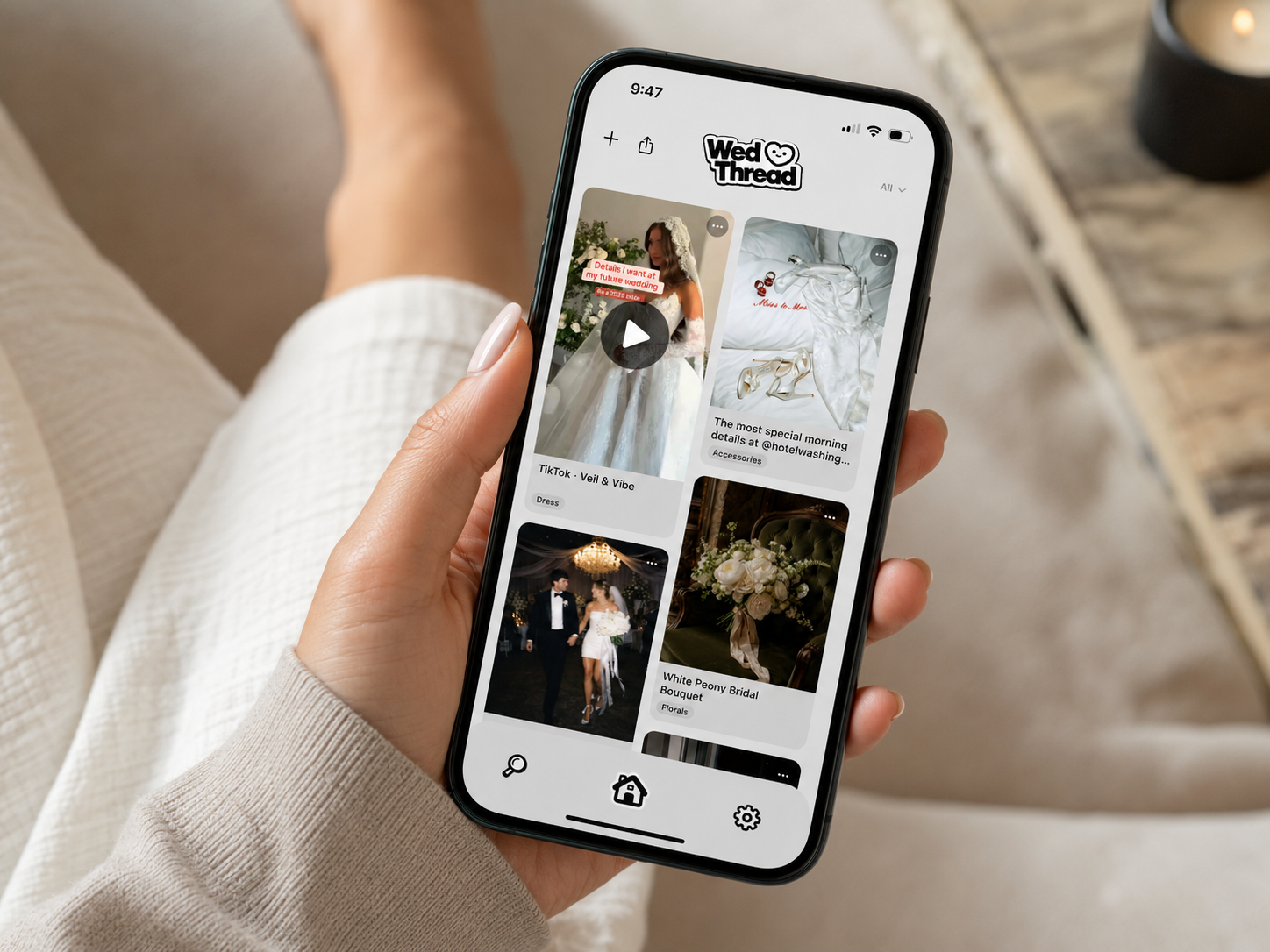
This category caps differently, usually on total number of saves rather than a specific feature. WedThread's free tier includes 20 saves, which is plenty for early planning or a more minimal aesthetic, but couples who save aggressively from day one, screenshotting everything that catches their eye, often reach that number faster than expected. The Pro upgrade removes the cap entirely for unlimited saves, which is the specific thing worth paying for if you're a heavy saver rather than a light one.
How to Tell If You Actually Need to Upgrade
The honest answer: you'll know, because you'll hit the actual limit in daily use. Don't upgrade preemptively based on the existence of a paid tier, upgrade when the free tier is genuinely getting in your way. For most categories, that means running out of guest slots, hitting a save cap, or needing a design feature the free tier doesn't offer. Until that happens, the free tier is doing its job.
Reading Reviews With a Critical Eye
App store reviews for wedding planning apps skew heavily toward extremes, glowing five-star reviews and furious one-star complaints, with less in the middle. Look specifically at recent reviews mentioning the free tier, since apps sometimes tighten free limits over time without much announcement, and older five-star reviews may reflect a more generous free tier than currently exists.
Combining Several Free Tools Instead of One Paid Platform
A genuinely underrated strategy: rather than paying for one all-in-one platform to get everything under one roof, combine two or three free, purpose-built tools, a free website builder, a free budgeting spreadsheet, a free inspiration-saving app. For most weddings, this costs nothing and each piece does its specific job better than a single bundled platform would. It's slightly more setup upfront, a few different logins instead of one, but it's a reasonable tradeoff for better tools at zero cost.
Free Trials vs. Genuinely Free Tiers
Worth distinguishing between the two: a free trial eventually requires payment to keep using the app at all, while a genuinely free tier stays usable indefinitely, just with caps. Read the fine print before relying on an app long-term, since a "free" app that's actually a time-limited trial can catch couples off guard midway through planning when a paywall suddenly appears.
Exporting Your Data If You Switch
Before committing to any free app, check whether it's easy to export your information if you later decide to switch. Guest lists usually export as a simple spreadsheet. Saved inspiration is the harder category to migrate, since there's often no standard export format for visual collections, which is one more reason to pick that specific tool carefully the first time.
Watch for Apps That Make Free Genuinely Unusable
A small number of "free" apps make the free tier so limited it's functionally a trial rather than a real free option, a save cap of five or ten items, for example, that most users hit within the first week. If a free tier feels artificially stingy compared to competitors, that's worth noticing before you build any planning habit around it, since you'll likely be forced to pay or switch tools within days anyway.
Trying Before Fully Committing
Since most free tiers cost nothing to try, there's little downside to actually testing a few apps hands-on before settling on one. Add a handful of real guests, save a few real ideas, see how the app feels in daily use rather than judging it from a marketing page. The apps that feel effortless in that quick test are usually the ones you'll still be using months later.
Why Companies Offer Free Tiers at All
Understanding the business model behind a free app helps set expectations for what you're getting. Some free tiers are loss leaders meant to build a large user base before introducing ads or a paid tier later. Others are genuinely free forever, funded by a smaller percentage of users upgrading to Pro for expanded features. Neither model is inherently bad for you as a user, but it's worth a moment's thought about how a specific app makes money, since that shapes how the free experience is likely to evolve over time.
Comparing Free Tiers Across Multiple Apps at Once
Before settling on any single app, it's worth spending twenty or thirty minutes comparing free tier limits across two or three top options for whatever category matters most to you. Write down the specific caps side by side, guest limits, save limits, storage, rather than relying on memory after browsing several app store pages. This small bit of upfront comparison often reveals meaningful differences between apps that otherwise look nearly identical from their marketing pages.
When Paying for One Tool Makes Sense
If a single free tool is handling the bulk of your actual planning and you're regularly bumping against its limits, upgrading that one specific tool is often a better move than adding a second free app just to work around the cap. Consolidating into one well-suited paid tool tends to beat juggling multiple free apps stitched together to cover the same ground.
Checking for Updates and Continued Development
An app that hasn't been updated in over a year is worth a second look before relying on it long-term, since abandoned apps sometimes stop working reliably or lose compatibility with newer phone software mid-planning. A quick check of the app's update history in the app store gives a rough sense of whether it's actively maintained.
For most weddings, yes. Free tiers typically cover the essentials, guest lists, basic budgeting, save limits that fit an average wedding's worth of inspiration. Paid tiers mostly remove caps rather than unlock fundamentally new capability.
Storage or save limits are the most common cap, a fixed number of saved ideas, photos, or guest entries. Design customization on wedding websites is another common paywall, though the core function usually still works on free.
When you hit the free tier's cap in day-to-day use, not before. If you're a light user who never approaches the limit, there's no reason to pay just because a paid tier exists.
Yes, free to start with 20 saves included. Upgrading to Pro removes the cap for unlimited saves, which matters if you're the type to save a large volume of inspiration early in planning.
Varies by app, worth checking each one's privacy policy specifically rather than assuming. Some free tiers are ad-supported, others are simply a limited version of a paid product with no ads.
Often yes, if each free tier covers your actual usage for that specific function. Combining a few free, purpose-built tools frequently costs nothing and works better than a single paid all-in-one platform.